Brawl Stars Gift Cards: How to Buy and Redeem Them
Published
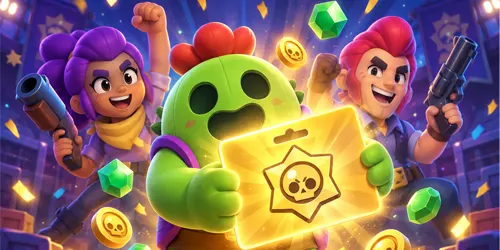
Learn how Brawl Stars gift cards work, where they are supported, how to redeem a 16-character code, use your balance, and avoid common scams.
On this page
Quick answer: A Brawl Stars gift card adds prepaid balance to the Brawl Stars Store after it is redeemed with a Supercell ID. Visit the official Supercell gift-card page, sign in to the correct account, enter the 16-character code, and validate it. Supercell currently provides redemption instructions for euro-using European Union countries and Brazil, so players should confirm regional support before buying a card.
A Brawl Stars gift card can be a convenient way to purchase Store offers without entering a credit card every time. It can also be given to another player, provided the card is valid in the recipient's region and has not already been redeemed.
This guide explains how Brawl Stars gift cards work, where they are officially supported, how to redeem a gift card code, how to spend the balance, and what to do when a code does not work.
What Is a Brawl Stars Gift Card?
A Brawl Stars gift card is a prepaid card containing a unique redemption code. When an eligible player redeems the code through the official Supercell Store, its value is added to the player's Store balance.
The balance is not automatically converted into Gems. Instead, it becomes a payment option that can be used when purchasing eligible products from the Brawl Stars Store.
According to the official Supercell gift-card guide, the redeemed balance becomes available immediately and can be used for purchases in the Brawl Stars Store.
Are Brawl Stars Gift Cards Real?
Yes. Brawl Stars gift cards are real, and Supercell operates an official redemption page at store.supercell.com/giftcard.
However, the existence of official gift cards does not make every website advertising a gift-card code legitimate. Players should avoid websites, applications, videos, or social media accounts promising unlimited gift cards, free codes, code generators, or account verification rewards.
A real gift card has a specific prepaid value and a unique code. It does not require downloading an APK, completing endless surveys, sharing a Supercell ID verification code, or providing an account password.
Where Are Brawl Stars Gift Cards Supported?
Supercell currently provides official redemption instructions for the following regions:
- European Union countries that use the euro as their currency
- Brazil, where a valid CPF is required during redemption
This does not automatically mean that gift cards are sold in every shop or through every retailer in those regions. Availability, denominations, currencies, and participating sellers can vary.
Players outside the listed regions should not purchase an imported card until they confirm that it can be redeemed on their account. A card purchased for another country or currency may not work in the player's region.
Regional availability can change, so check the current Supercell support instructions before spending money.
Where Can You Buy Brawl Stars Gift Cards?
Buy a Brawl Stars or Supercell gift card only from a trusted retailer that clearly identifies the supported country, currency, value, and redemption conditions.
Supercell's support page explains how cards are redeemed but does not provide one universal list of authorized stores for every country. For that reason, confirm the following information before buying:
- The card is intended for the Brawl Stars or Supercell Store.
- Your country is supported.
- The card's currency matches your supported region.
- The code has not been revealed, activated, or redeemed previously.
- The retailer provides a receipt or purchase confirmation.
- The seller has a clear support or refund policy for invalid cards.
Be especially careful with marketplace sellers offering gift cards far below their normal value. A heavily discounted code may be used, region-locked, obtained fraudulently, or completely fake.
How to Redeem a Brawl Stars Gift Card
Use only the official Supercell redemption website. Never enter your gift-card code on a third-party page claiming it needs to activate or verify the card.
1. Open the official redemption page
Visit the official Supercell gift-card page. Check that the address begins with https://store.supercell.com/ before signing in or entering a code.
2. Log in with Supercell ID
Select the login button and enter the email address connected to the Brawl Stars account that should receive the balance.
Supercell sends a verification code to the account's email address. Never give this login code to another person, including someone claiming to be a seller, creator, support representative, or tournament organizer.
3. Confirm the correct Brawl Stars account
Check the account information displayed after login. Make sure it is the intended Brawl Stars account before redeeming the gift card.
This step is particularly important for players who use several accounts. Do not continue if the wrong Supercell ID or player profile is displayed.
4. Enter the gift-card code
Enter the 16-character code printed on the card or included in the legitimate digital delivery message. Review every character carefully before selecting the validation button.
Common mistakes include confusing the number zero with the letter O or entering a character twice.
5. Complete any regional requirement
Players redeeming a gift card in Brazil must enter an 11-digit CPF as required by Brazilian regulations. Supercell instructs Brazilian users to enter the gift-card code without hyphens.
6. Validate the code
Select the validation or redemption button only after confirming the account and code. When redemption succeeds, Supercell says the balance is added immediately and becomes available for Brawl Stars Store purchases.
How to Use Your Gift-Card Balance
After successfully redeeming the card, open the official Brawl Stars Store while logged in to the same Supercell ID.
- Select the eligible Brawl Stars product you want to purchase.
- Continue to the checkout screen.
- Find the Pay with balance option.
- Enable the option to apply your gift-card balance.
- Review the selected account and complete the purchase.
If the Store balance is lower than the order total, Supercell says the remaining amount can be covered with another available payment method.
Store products and prices can change. Depending on the offers available to an account, the Brawl Stars Store may include the Brawl Pass, Brawl Pass Plus, Pro Pass, Store Specials, and other products. Some offers may appear only after signing in.
Does a Brawl Stars Gift Card Give Free Gems?
No. A legitimate gift card is prepaid with real money. Redeeming it adds Store balance; it does not create unlimited Gems or automatically unlock every item.
You may be able to use the balance to purchase an offer containing Gems if such an offer is available in the Store, but the gift card itself is not a free-Gem code.
For legitimate methods of obtaining and managing Gems, read our guide to earning Gems in Brawl Stars without hacks.
Brawl Stars Gift Cards vs Store Codes
Gift-card codes and Store codes are not the same thing.
- Gift-card code: Adds prepaid monetary balance to an eligible account.
- Store code: A promotional code that may grant a specific reward through the appropriate Supercell Store.
- Creator code: Supports a participating creator when making eligible purchases but does not give the player free currency.
- Reward link: An official Supercell link that may deliver a specific item or reward.
Promotional Store codes can expire and may need to be redeemed through a particular game's Store. Check our Brawl Stars codes and official rewards page for information about legitimate promotions, QR rewards, and active links.
Can You Give a Brawl Stars Gift Card to a Friend?
An unused gift card may be suitable as a gift when the recipient lives in a supported region and can redeem its currency. The recipient should redeem the code while logged in to their own Supercell ID.
Before purchasing a gift for someone else, confirm their country, supported currency, and access to Supercell ID. Do not redeem the card on your own account first.
Never send a photograph of the complete code through a public post, group chat, comment section, or unsecured marketplace conversation. Anyone who can read the code may attempt to redeem it.
Why Is My Brawl Stars Gift-Card Code Not Working?
A code can fail for several reasons. Work through these checks before contacting support.
Check the characters
Enter the code again carefully. Remove accidental spaces and check similar-looking letters and numbers. Brazilian users should follow Supercell's instruction to enter the code without hyphens.
Confirm your region
A card may be restricted by country or currency. Confirm that the card is supported where the Supercell ID is being used.
Check the account
Verify that you are signed in with the correct Supercell ID. If the Store displays an unfamiliar account, log out instead of attempting redemption.
Confirm that the card was activated
Some retail cards must be activated during purchase. Keep the receipt and contact the retailer if the card appears inactive.
Check whether the code was already redeemed
A previously redeemed code cannot normally be reused. If you purchased a supposedly new card but receive an already-used message, contact the retailer and keep the card, packaging, and receipt as evidence.
Use the official support channel
If the card is legitimate and the problem continues, contact Supercell Store Support. Do not publish the complete gift-card code, login email, receipt, or personal information publicly.
How to Avoid Brawl Stars Gift-Card Scams
Search interest around Brawl Stars gift cards can attract scam websites. Protect your account and money by following these rules:
- Redeem cards only at store.supercell.com/giftcard.
- Never use a “gift card generator.”
- Never share a Supercell ID verification code.
- Do not install an APK to activate a card.
- Avoid sellers requesting payment through cryptocurrency or another irreversible method.
- Do not pay someone to “unlock” regional redemption.
- Keep the original card and receipt until the balance is successfully added.
- Verify links before entering account or payment information.
If a website promises unlimited codes after completing surveys or downloading applications, leave the website. Read our guide explaining why unofficial Brawl Stars APKs and downloads are unsafe.
Frequently Asked Questions
How do I redeem a Brawl Stars gift card?
Visit the official Supercell gift-card redemption page, log in with the correct Supercell ID, enter the 16-character code, and validate it. The balance should become available for eligible Brawl Stars Store purchases.
Do I need a Supercell ID?
Yes. Supercell requires players to log in with Supercell ID before redeeming a gift card. If you do not have one, you can create it through the Supercell ID section inside Brawl Stars.
Can I redeem a Brawl Stars gift card on a computer?
Yes. The redemption page works through a web browser. The important requirement is signing in with the Supercell ID connected to the correct Brawl Stars account.
What can I buy with a Brawl Stars gift-card balance?
The balance can be used for eligible purchases offered through the Brawl Stars Store. Available products can include passes, Store Specials, and other account-specific offers.
Can I combine the balance with another payment method?
Yes. Supercell's support guide says that when the gift-card balance does not cover the complete order, the remaining amount can be paid using another available payment method.
Does redeeming a gift card immediately add Gems?
No. Redeeming the card adds Store balance, not Gems. You must use the balance to purchase an eligible product from the Brawl Stars Store.
Are free Brawl Stars gift-card generators real?
No legitimate gift-card generator can create valid Supercell codes. Websites making this promise commonly use fake verification steps, surveys, unsafe downloads, or attempts to steal account information.
Are Brawl Stars gift cards available worldwide?
Supercell's current support guide specifically documents redemption in euro-using EU countries and Brazil. Players in other regions should confirm official support before purchasing an imported or online card.
Why does Brazil require a CPF?
Supercell states that an 11-digit CPF is mandatory for gift-card redemption in Brazil because of Brazilian regulatory requirements.
Is a Google Play or Apple gift card the same thing?
No. Google Play and Apple gift cards belong to their respective platform payment systems. This guide concerns gift cards redeemed directly through the Supercell Store.
What should I do if my code is invalid?
Check the characters, supported region, activation status, and correct Supercell ID. If the problem continues, keep the card and receipt and contact the retailer or official Supercell Store Support.
Final Word
Brawl Stars gift cards provide a straightforward way for supported players to add prepaid balance to the Brawl Stars Store. The safest process is to purchase from a trusted retailer, confirm regional compatibility, redeem through the official Supercell website, and carefully verify the receiving account.
Avoid free-code generators, unofficial redemption pages, suspicious discounts, and anyone requesting a Supercell ID verification code. For more legitimate offers and reward information, visit the regularly updated Brawl Stars codes page or browse our other Brawl Stars guides and updates.